5-hour and weekly windows
See active usage windows before a rate limit surprises you in the middle of a task.
HiForrest app - macOS and iOS
AI Buddies reads the usage artifacts that Claude Code and Codex already write on your Mac, then turns them into quota windows, token totals, project breakdowns, model mix, estimated cost, and practical tips for avoiding waste.
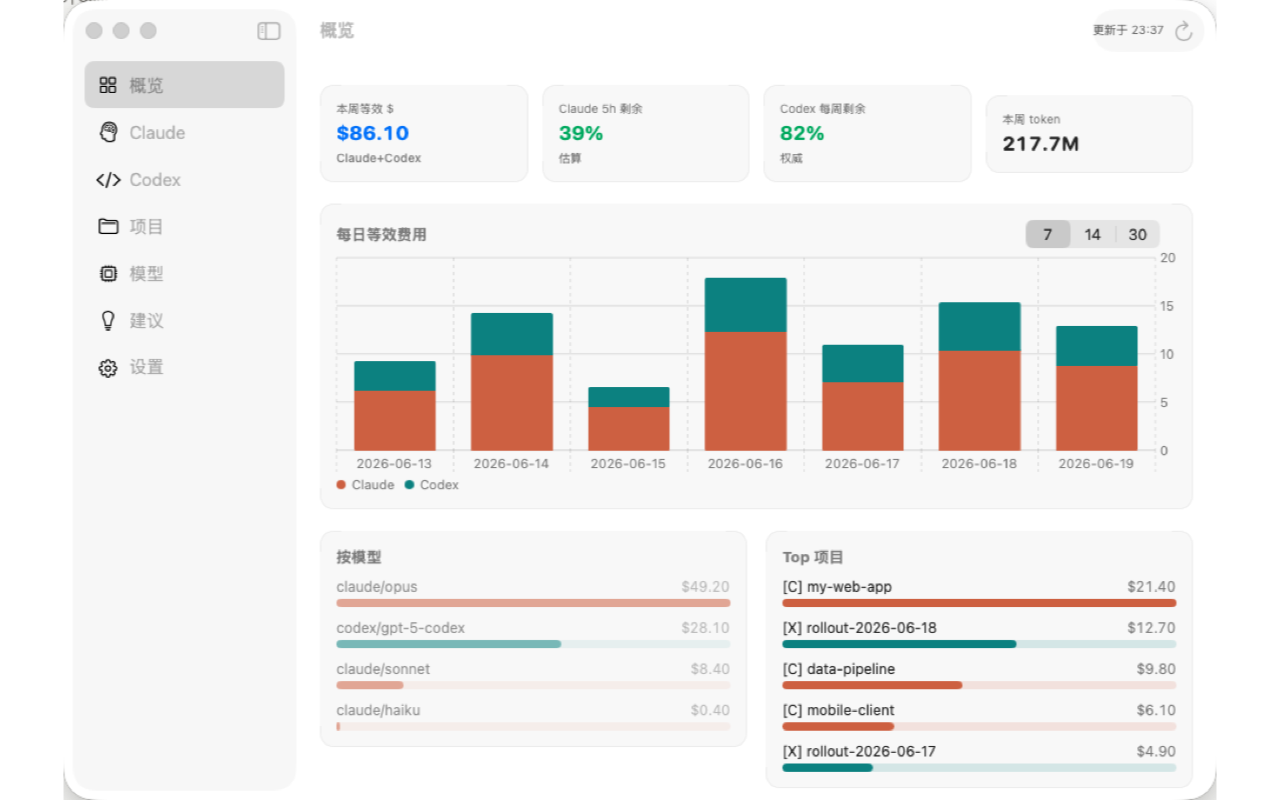
Mac first
The Mac app is the source of truth. It asks for read-only access to your local Claude and Codex folders, analyzes usage on device, and can sync a small usage summary to your private iCloud for iPhone and widgets.
See active usage windows before a rate limit surprises you in the middle of a task.
Separate high-value work from runaway sessions, retries, and forgotten experiments.
Get concise recommendations to reduce token waste without changing how you work.
iPhone and widgets
The iOS app and widgets show synced private summaries from the Mac app. If no Mac data has been synced yet, the app shows a clear empty state instead of asking for your Claude or Codex credentials.
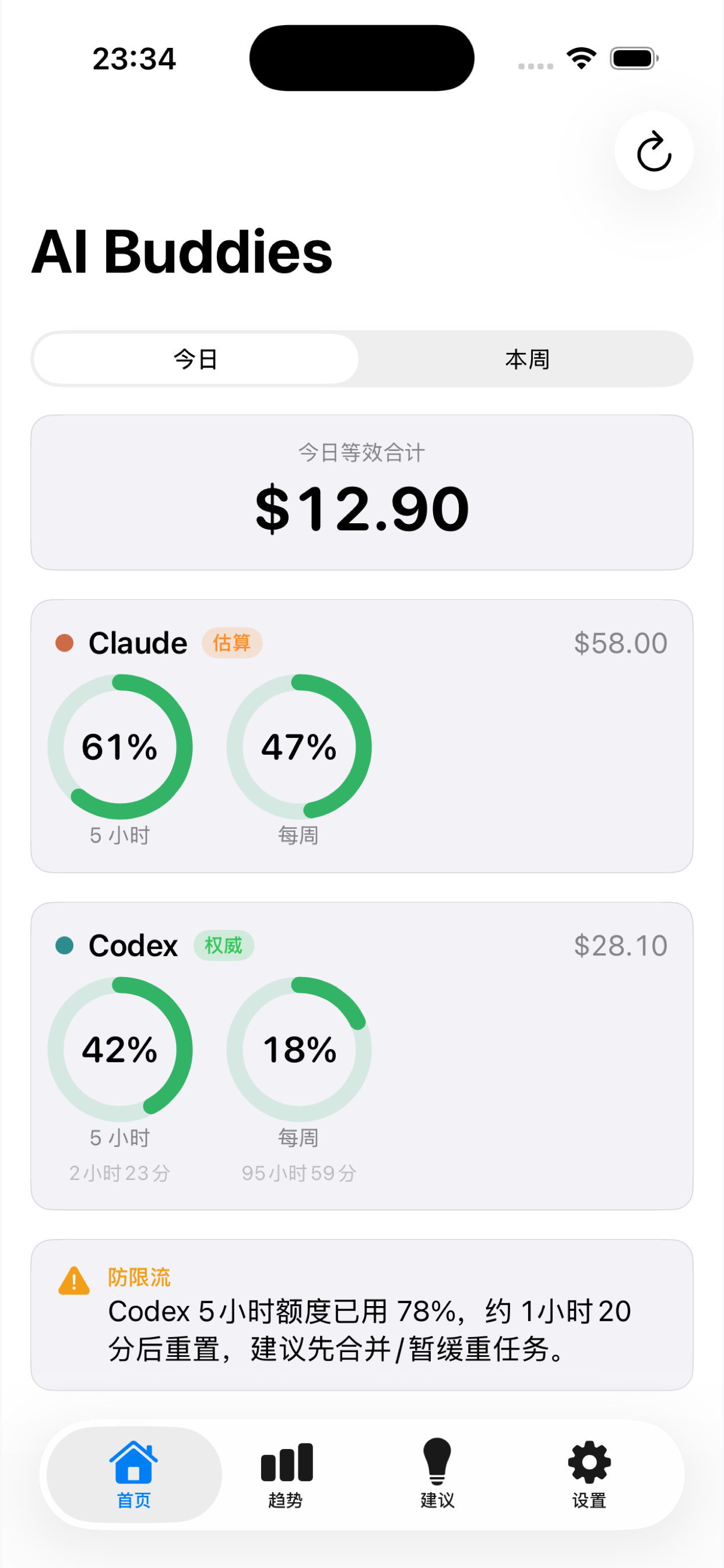
Current usage and quota status.
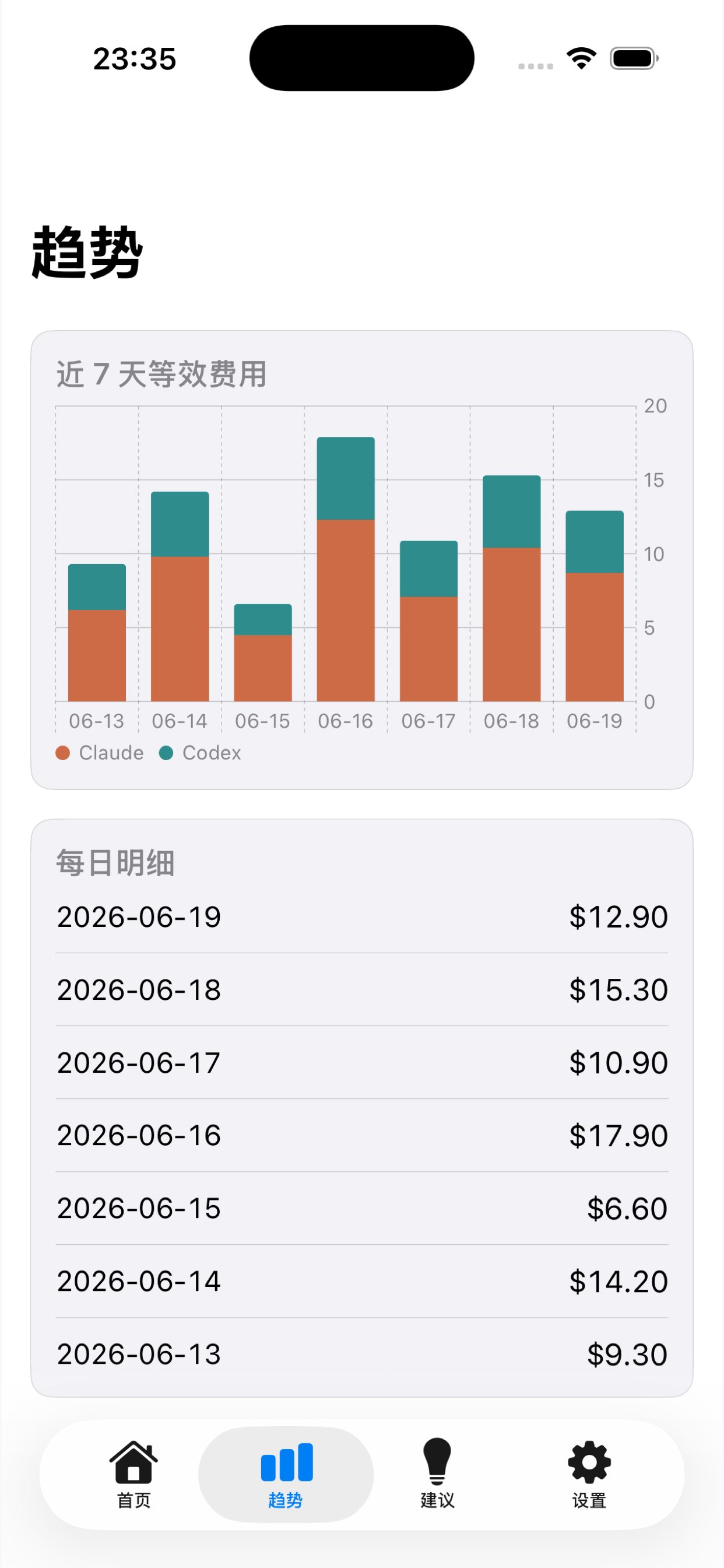
Daily and weekly usage shape.
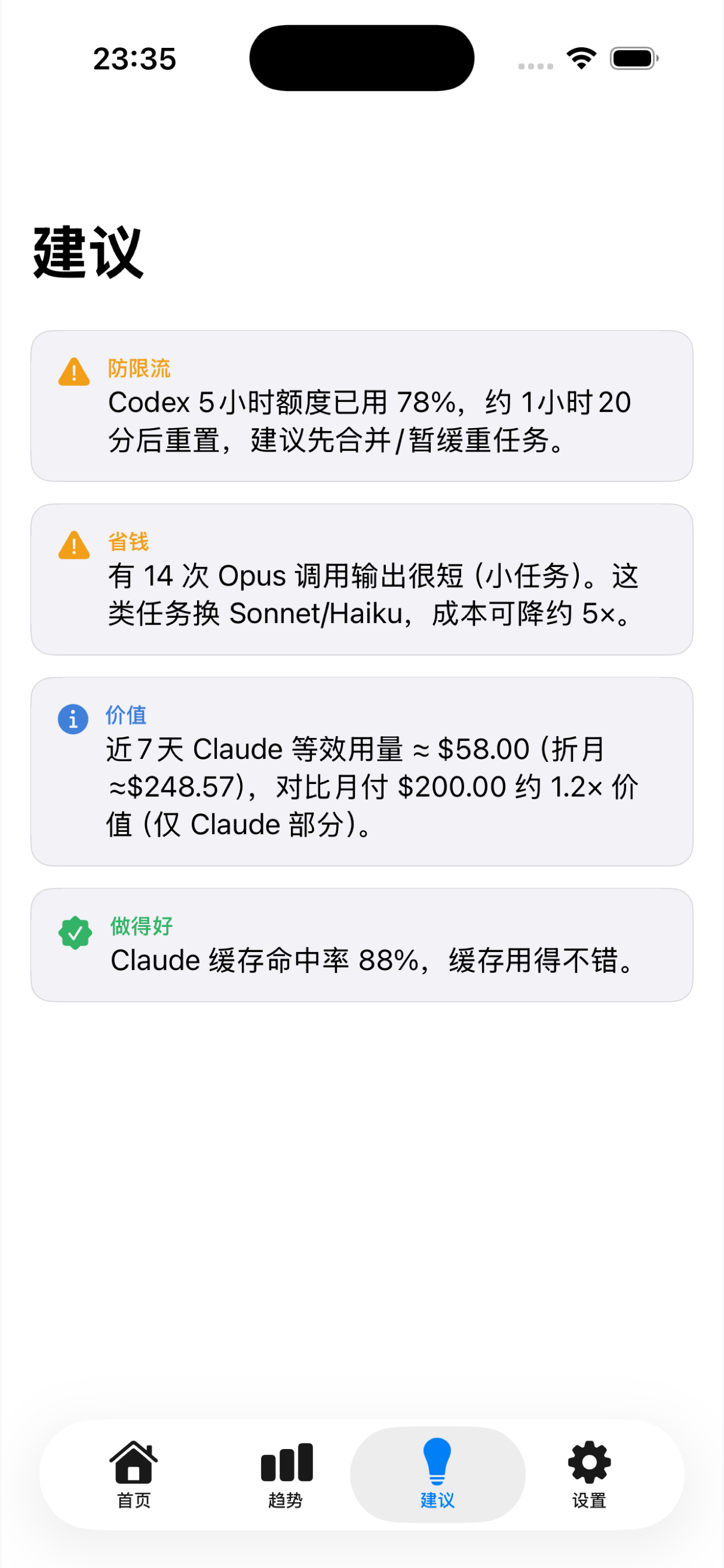
Short guidance for saving tokens.
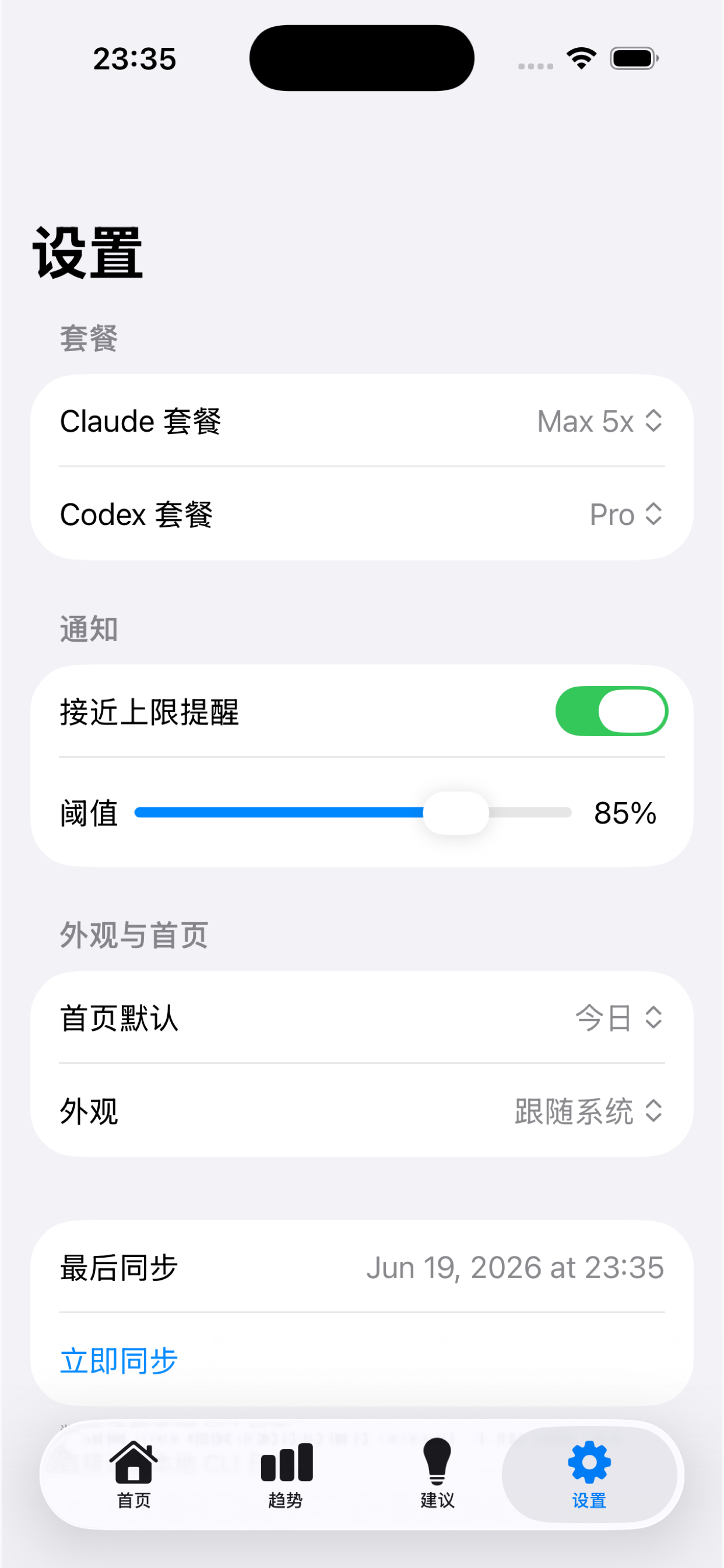
Sync and app preferences.
Privacy
The app reads local CLI usage files only after you grant file access. Summaries are stored locally and, when enabled, synced through the user's private iCloud. HiForrest does not run a usage collection server for AI Buddies.
See the full privacy policy or contact [email protected] for support.